
Stop Guessing About Your Financial Future
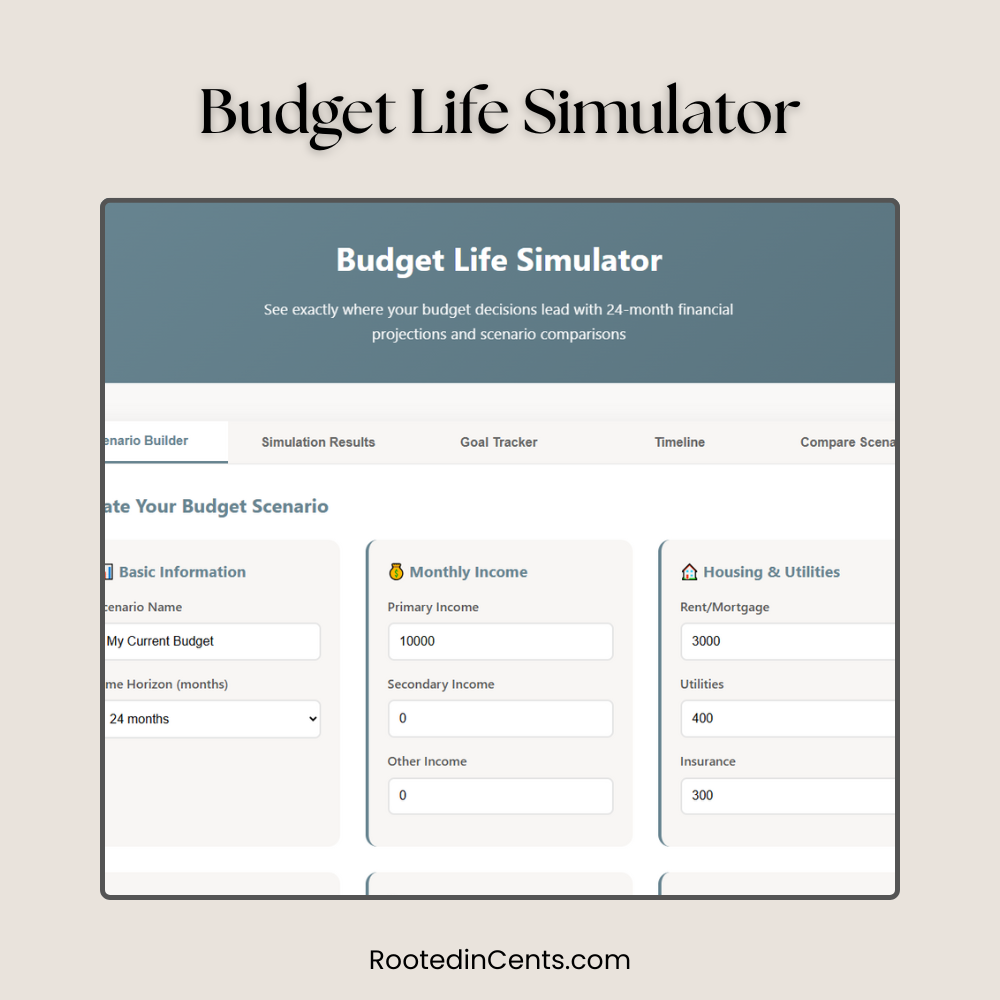
See exactly where your budget decisions lead with our revolutionary Budget Life Simulator that predicts your money story
The Problem: Traditional Budgets Only Show Today, Not Tomorrow
You set up a budget, track your expenses for a month, and then… what? Most budgeting tools show you where your money went, but they don’t answer the most important question: “Where will my financial decisions take me?”
What if you could skip the coffee runs? Pay off debt faster? Switch to one income? Traditional budgets can’t show you these “what-if” scenarios over time.
Introducing the Budget Life Simulator:
Your Financial Crystal Ball
Imagine being able to fast-forward your budget 6 months, 1 year, or even 2 years into the future. What would you see? Would your emergency fund be fully stocked? Would your debt be gone? Would you reach your savings goals?
The Budget Life Simulator doesn’t just track your money; it predicts your financial future based on the decisions you make today.
- 24 Months of Predictions
- 5+ Scenario Comparisons
- Real-Time
- Goal Tracking
- Visual
- Timeline Charts
How the Budget Life Simulator Works
(Step-by-Step)
1. Create Your Scenario
Enter your monthly income and expenses by category (housing, food, transportation, etc.). Set your time horizon from 6 months to 10 years.
2. Set Your Financial Goals
Add goals like “Emergency Fund: $15,000 by month 12” or “Vacation: $5,000 by month 18.” Set priorities and target dates.
3. Run the Simulation
Watch as the simulator projects your financial journey month by month, showing emergency fund growth, debt payoff, and goal progress.
4. Compare Scenarios
Create multiple scenarios (current budget vs. reduced spending vs. income increase) and see which path leads to better outcomes.
5. Make Informed Decisions
Use the insights to make smarter financial choices based on long-term impact, not just immediate effects.
Real Example: Sarah’s Budget Simulation Results
Sarah, a single mom earning $60,000 annually, used the Budget Life Simulator to compare three different scenarios. Here’s what she discovered:
24-Month Simulation Results
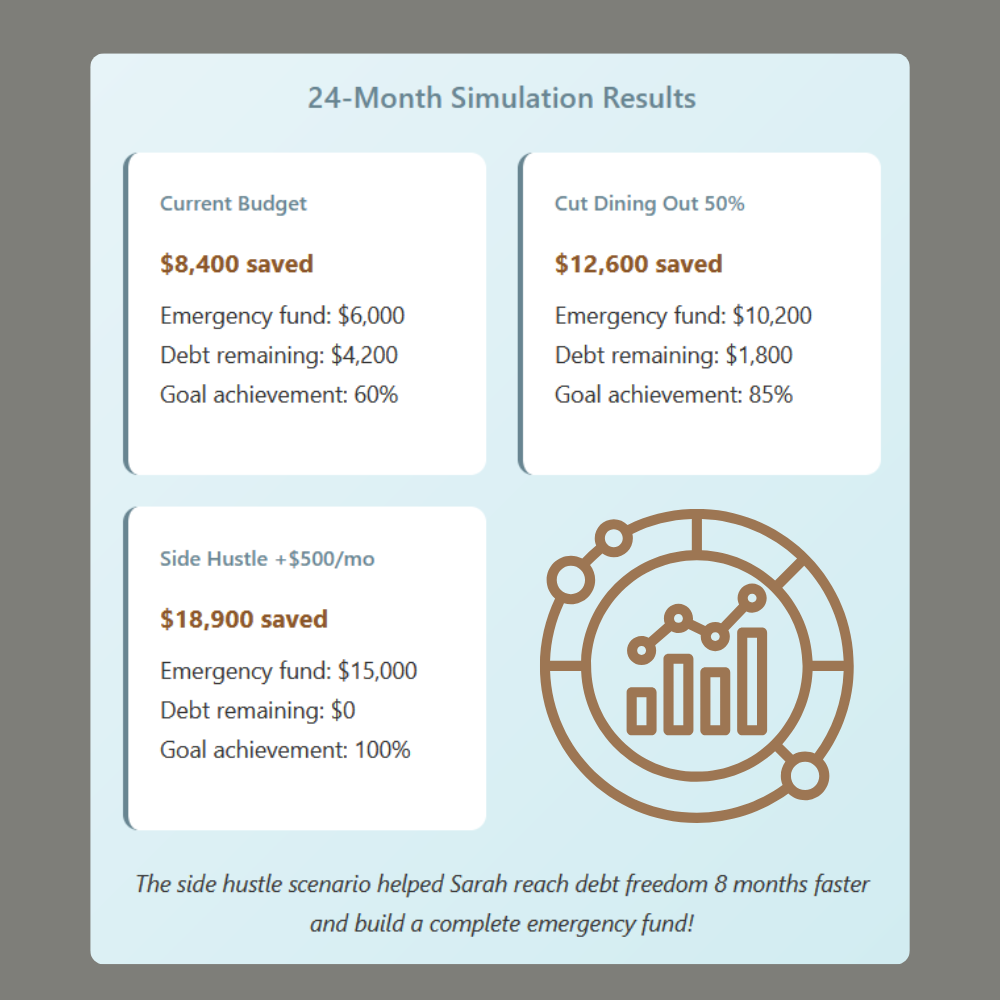
Current Budget
$8,400 saved
Emergency fund: $6,000
Debt remaining: $4,200
Goal achievement: 60%
Cut Dining Out 50%
$12,600 saved
Emergency fund: $10,200
Debt remaining: $1,800
Goal achievement: 85%
Side Hustle +$500/mo
$18,900 saved
Emergency fund: $15,000
Debt remaining: $0
Goal achievement: 100%
The side hustle scenario helped Sarah
reach debt freedom 8 months faster
and build a complete emergency fund!
6 Unique Features You Won’t Find Anywhere Else
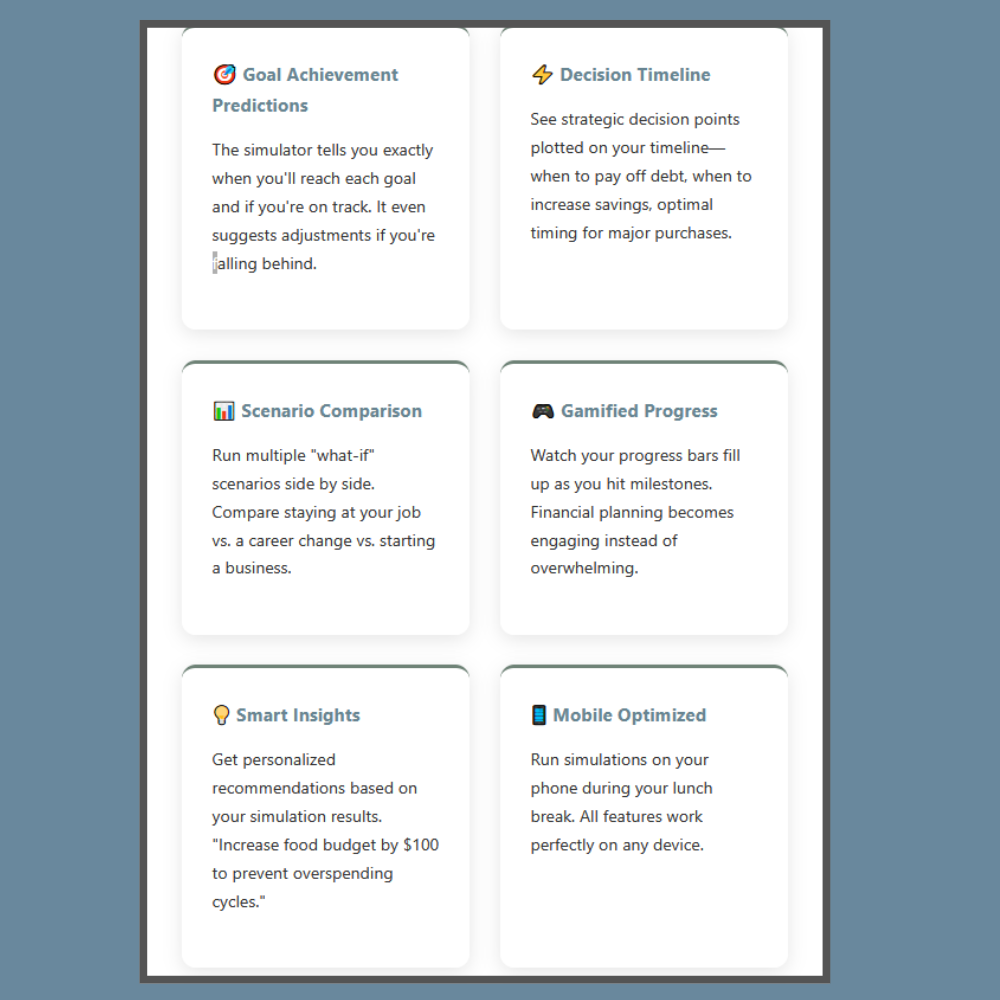
Goal Achievement Predictions
Know exactly when you’ll hit your goals (and get alerts if you’re off track).
Decision Timeline
See key money milestones mapped out, such as when to save, spend, or pay off debt.
Scenario Comparison
Test “what-if” choices side by side to see which future wins.
Gamified Progress
Watch progress bars fill as you hit milestones—budgeting made motivating
Smart Insights
Get tailored tips from your numbers (like “cut food budget by $100”).
Mobile Optimized
Run your simulations anywhere: phone, tablet, or desktop.
Budget Life Simulator vs. Traditional Tools
| Feature | Traditional Budget Apps | Budget Life Simulator |
|---|---|---|
| Time Perspective | Past and present only | ✅ Future predictions up to 10 years |
| Scenario Planning | ❌ One budget at a time | ✅ Compare multiple scenarios |
| Goal Tracking | Basic progress bars | ✅ Achievement predictions & timing |
| Visual Charts | Expense breakdowns | ✅ Timeline projections & trends |
| Decision Support | ❌ Shows what happened | ✅ Shows impact of future decisions |
| Learning Curve | Complex setup required | ✅ Intuitive scenario builder |
Who Should Use the Budget Life Simulator?
Perfect If You’re:
• Planning a major life change: Switching to one income, changing careers, starting a family
• Stuck in financial limbo: You budget but don’t feel like you’re making real progress toward goals
• Comparing big decisions: Should you pay off debt first or invest? Rent or buy? Side hustle or focus on your main job?
• Visual learner: You understand information better when you can see charts and projections
• Goal-oriented: You have specific financial targets and want to know if you’ll reach them
Real User Success: The Johnson Family’s Story
Mark and Lisa Johnson were debating whether Lisa should quit her $45,000 job to stay home with their two young kids. Childcare was costing them $1,800 monthly, but they worried about the lost income.
Using the Budget Life Simulator, they compared three scenarios over 36 months:
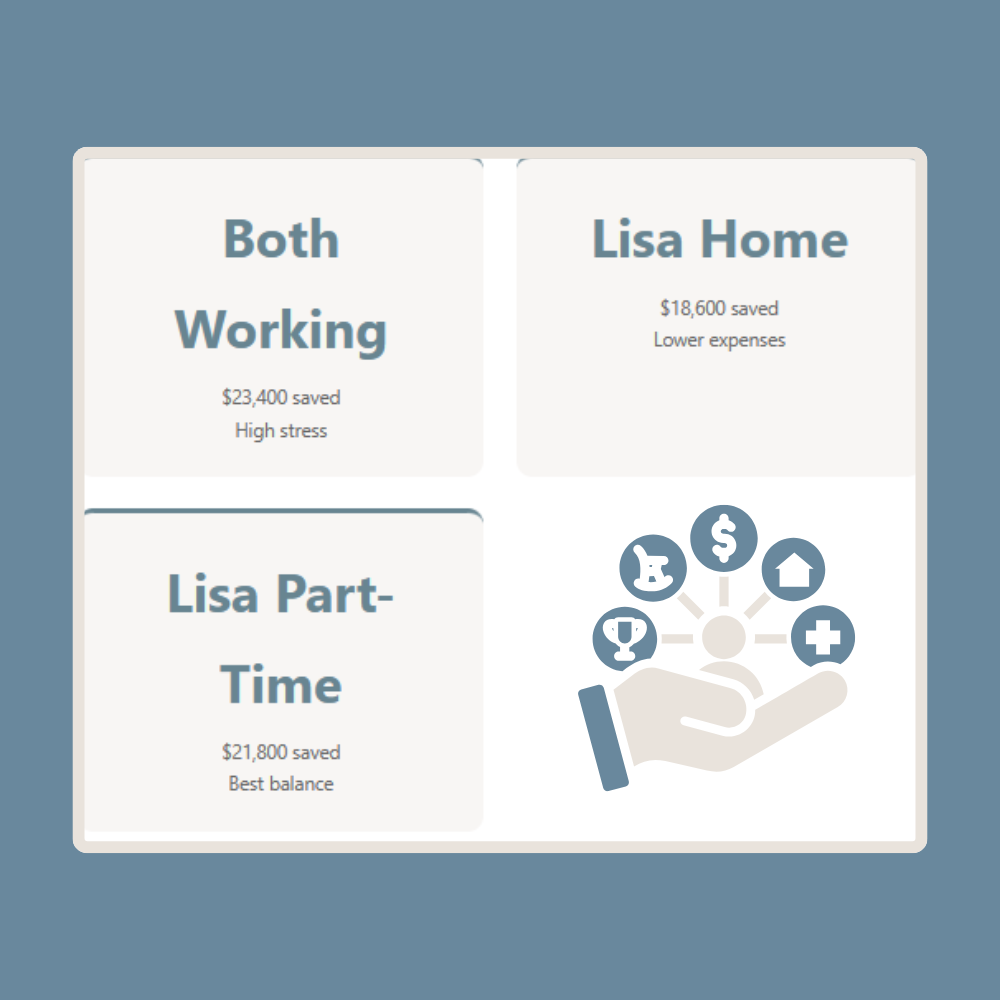
Both Working
$23,400 saved
High stress
Lisa Home
$18,600 saved
Lower expenses
Lisa Part-Time
$21,800 saved
Best balance
The result? They discovered that Lisa working part-time from home gave them 93% of the financial benefit of both parents working full-time, while eliminating childcare costs and reducing stress. They wouldn’t have seen this without running the scenarios!
Common Simulation Insights That Surprise People
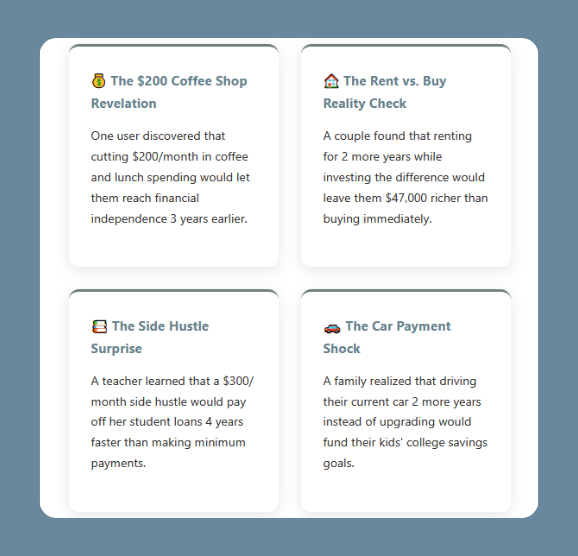
The $200 Coffee Shop Revelation
One user discovered that cutting $200/month in coffee and lunch spending would let them reach financial independence 3 years earlier.
The Rent vs. Buy Reality Check
A couple found that renting for 2 more years while investing the difference would leave them $47,000 richer than buying immediately.
The Side Hustle Surprise
A teacher learned that a $300/month side hustle would pay off her student loans 4 years faster than making minimum payments.
The Car Payment Shock
A family realized that driving their current car 2 more years instead of upgrading would fund their kids’ college savings goals.
Why Choose the Budget Life Simulator Over Spreadsheets?
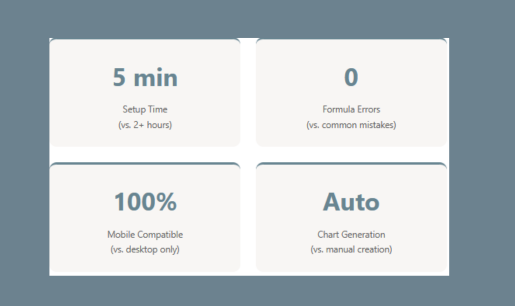
Sure, you could create projections in Excel, but here’s why the simulator is better:
5 min Setup Time (vs. 2+ hours)
0Formula Errors
(vs. common mistakes)
100%Mobile Compatible
(vs. desktop only)
AutoChart Generation
(vs. manual creation)
Plus, the simulator includes built-in financial logic that accounts for things like:
• Emergency fund priority (builds first before other goals)
• Debt payoff acceleration when other goals are met
• Realistic goal achievement timelines
• Cash flow timing (no negative months)
Get Started With Your First Simulation
Ready to see your financial future? The Budget Life Simulator is completely free to use and takes less than 5 minutes to set up your first scenario.
Try the Budget Life Simulator Free →
What you’ll get:
✅ Unlimited scenario creation and comparison
✅ Goal tracking with achievement predictions
✅ Visual charts and timeline projections
✅ Decision timeline with strategic recommendations
✅ Mobile-optimized for planning anywhere
Pro Tip: Start With These 3 Scenarios
1. Current Budget: Enter your actual income and expenses to see where you’re headed
2. Optimized Budget: Reduce 2-3 expense categories by 10-20% each
3. Income Boost: Add a potential side hustle or raise to see the long-term impact
Compare all three to find your best path forward!
Frequently Asked Questions
How accurate are the predictions?
The Budget Life Simulator uses your actual income and expense data to create projections. While we can’t predict unexpected events (job loss, medical bills), the simulations are highly accurate for planned financial decisions and normal circumstances.
Can I simulate longer than 2 years?
Yes! You can run simulations up to 10 years (120 months). However, shorter timeframes (6-24 months) tend to be more accurate since your income and expenses are less likely to change dramatically.
What’s the difference between this and a retirement calculator?
Retirement calculators focus on long-term investing for one specific goal. The Budget Life Simulator handles multiple goals simultaneously and focuses on cash flow, debt payoff, emergency funds, and medium-term objectives.
Do I need to connect my bank accounts?
No! The simulator doesn’t connect to any accounts or store personal financial data. You manually enter your income and expenses, giving you complete privacy and control.
Can I share scenarios with my spouse?
You can easily share scenario results by showing the visual charts and summaries. Many couples use this during their monthly money meetings to discuss different budget options.

