
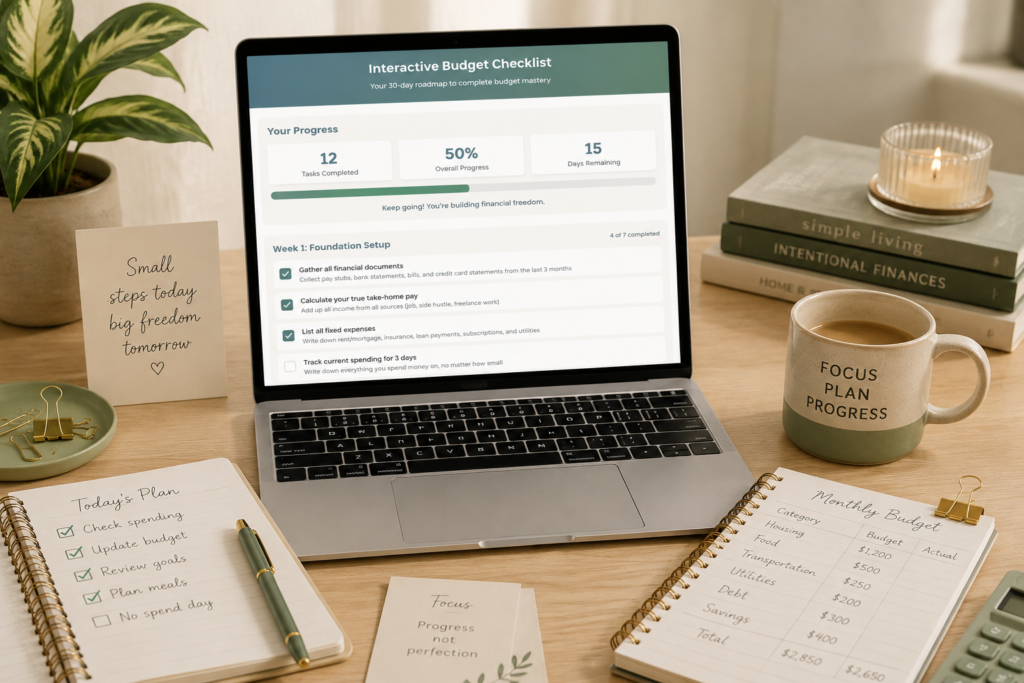
Here’s the brutal truth about budget advice:
You’ve probably tried budget planners before. For example, you may have downloaded the cute printables from Pinterest. Additionally, you might have made the spreadsheets and set the goals. However, something always goes wrong.
So, what’s the real problem? Most tools aren’t the interactive budget checklist that actually works. In fact, static checklists don’t adapt to your progress. As a result, they don’t celebrate your wins. They don’t give you personalized tips when you’re stuck. Most importantly, they don’t track whether you’re actually following through.
Why Traditional Budget Checklists Fail You
Let’s be honest, you’ve probably downloaded dozens of budget templates from Pinterest, however, they look beautiful, but here’s what happens:
- You print them out with good intentions
- You fill in a few items, then life gets busy
- The paper gets lost or forgotten
- You have no idea how much progress you have actually made
- You give up and feel like a failure
Sound familiar? You are not lazy or bad with money. You just need a system that actually works with how real life happens.
Introducing the Interactive Budget Checklist
What if I told you there’s a budget checklist that:
- Tracks your progress automatically (no more lost papers)
- Gives you personalized tips for each task
- Celebrates your wins with achievement badges
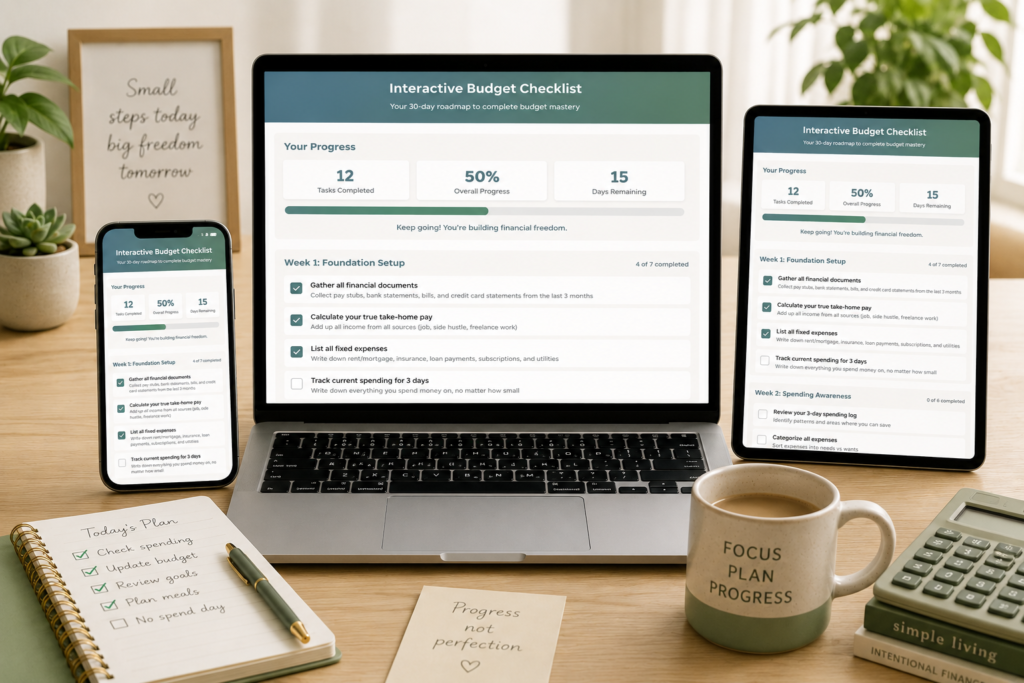
- Works on your phone, tablet, or computer
- Saves your progress even if you close the browser
- Shows you exactly what to do next
- Takes the guesswork out of budgeting
That is precisely what I have created. This is not just another pretty printable. It is an interactive budget checklist that actually
helps you build lasting money habits.
The Numbers Do Not Lie
Here is why this interactive approach changes everything:
25 Essential Budget Tasks
30 Days to Master
8 Achievement Badges
100% Progress Tracking
How the Interactive Budget Checklist Works
Week 1: Foundation Setup
Gather your financial documents, calculate take-home pay, and set up your budgeting system. Each completed task unlocks personalized tips and moves your progress bar forward.
Week 2: Budget Planning
Create your first budget draft, set savings goals, and identify spending leaks. Click on any task to reveal expert tips specific to your situation.
Week 3: Implementation
Put your budget into action with real-world tasks like meal planning, finding extra income, and making your first extra debt payment. Watch your achievement badges unlock!
Week 4: Optimization
Fine-tune your system by negotiating bills, calculating net worth, and planning next month’s budget. Complete all tasks to become a certified Budget Master!
Interactive Features That Make All the Difference
Real Time Progress Tracking
Watch your progress bar fill up as you complete tasks. See exactly how many tasks you have finished and how many are left.
Achievement Badge System
Unlock 8 different badges as you hit milestones: Getting Started, Foundation Builder, Goal Setter, Action Taker, Budget Master, and more.
Click to Reveal Tips
Every task includes personalized advice. Click any task to see expert tips tailored to that specific action.
Automatic Progress Saving
Your progress is saved automatically, which allows you to close your browser and come back later. Everything is exactly where you left it.
Mobile Optimized Design
Works perfectly on phones, tablets, and computers. Take your budget checklist anywhere you go.
Completion Certificate
Generate a personalized PDF certificate when you complete all 25 tasks. Proof of your budget mastery.
Compare Static vs Interactive Budget Checklists
| Feature | Traditional Printables | Interactive Checklist |
|---|---|---|
| Progress Tracking | Manual pen marks | Automatic visual progress bar |
| Personalized Tips | Generic advice only | Custom tips for each task |
| Motivation System | None | Achievement badges & milestones |
| Accessibility | Easy to lose or forget | Always available on your devices |
| Completion Tracking | Guess your progress | Real-time stats and percentages |
| Next Steps | Figure it out yourself | Clear guidance on what to do next |
The Psychology Behind Why This Actually Works
Progress Visibility Creates Momentum
When you can see your progress in real time, your brain releases dopamine, the same chemical that makes video games addictive. This interactive checklist turns budgeting into a game you actually want to play.
Immediate Feedback Prevents feeling overwhelmed
Instead of staring at a massive list of financial tasks, you get specific guidance for each step. Click any task to see exactly what to do and why it matters.
Achievement Unlocks Build Confidence
Every badge you earn proves you are capable of managing money. These small wins compound into genuine confidence about your financial future.
“I have tried so many budget planners, but they always felt overwhelming. This interactive checklist breaks everything down into manageable steps, and seeing my progress bar fill up keeps me motivated. I actually completed all 25 tasks!”
Sarah M., Budget Success Story
What Makes This Different from Budget Apps?
You might be wondering: “Why not just use a budgeting app?” Here is the honest answer:
Apps Focus on Tracking, This Focuses on Teaching
Budget apps are great for tracking expenses after you already know how to budget. This interactive checklist teaches you HOW to build a budget system from scratch.
No Account Required, No Data Sharing
Your financial information stays private. No signing up, no data collection, no monthly fees. Just open and start.
Works Even When You Are Offline
Once the page loads, everything works without internet. Perfect for when you are organizing finances at home.

The 25 Essential Budget Tasks You’ll Master
Here is exactly what you will accomplish in your 30 day budget transformation:
Week 1: Foundation (Tasks 1 through 7)
- Gather all financial documents
- Calculate your true take-home pay
- List all fixed expenses
- Track spending for 5 days
- Set up a budgeting system
- Open a separate savings account
- Calculate your total debt
Week 2: Planning (Tasks 8 through 13)
- Create your first budget draft
- Set one specific savings goal
- Identify your biggest spending leak
- Plan for irregular expenses
- Set up automatic savings
- Cancel unnecessary subscriptions
Week 3: Implementation (Tasks 14 through 19)
- Live on your budget for one week
- Find one way to increase income
- Meal plan for one week
- Pay one extra debt payment
- Try a no-spend day
- Adjust your budget based on reality
Week 4: Optimization (Tasks 20 through 25)
- Negotiate one bill
- Build a 3-day meal prep
- Calculate your net worth
- Set up bill payment calendar
- Create a reward system
- Plan next month’s budget
Who This Interactive Checklist Is Perfect For
You Are a Perfect Fit If:
- You prefer browser based tools over downloading apps
- You have tried budget printables but never followed through
- You want step by step guidance instead of figuring it out alone
- You learn better with interactive tools than static worksheets
- You need motivation and progress tracking to stay on course
- You want to build lasting habits, not just a one time budget
Ready to Transform Your Finances in 30 Days
Stop struggling with static budget printables that do not adapt to your life. Try the interactive budget checklist that actually helps you build lasting money habits.Start Your Interactive Budget Checklist
No signup required. Works on all devices. Progress saves automatically.
Try the Interactive Budget Checklist Right Here
Frequently Asked Questions
Do I need to download anything
No. This works in any web browser on any device. Just click and start using it immediately.
Will my progress be saved
Yes. Your progress automatically saves to your browser local storage. You can close the tab and come back anytime to continue where you left off.
What if I am not tech savvy
This is designed to be incredibly simple. If you can check boxes and click buttons, you can use this interactive checklist.
How long does each task take
Most tasks take 15 to 30 minutes. Some (like tracking spending) happen over several days. The checklist is designed to fit into real life.
Is this suitable for beginners
Absolutely. This starts with the very basics and builds up to more advanced concepts. Perfect for budget beginners or anyone wanting to improve their system.
Your 30 Day Money Transformation Starts Now
Don’t let another month go by wishing you had better control of your money. If you want to take your journey even further, try our all-new
Bi-Weekly Budget Calculator, perfect for planning every paycheck with ease.
Transform your finances in 30 days with the first-ever progress-tracking budget checklist. No apps, no downloads, just results.


